


Since the monthly Rust update of the 3rd of August 2023, it is possible for servers to implement custom emojis that players can use in chat.
How do I add custom emojis to my server?
There are a few technical requirements for what images can be used for emojis :
- No bigger than 256*256 pixels
- Must be .jpg or .png file format (note: .jpg won't support transparency)
- Must be less than 250kb in file size
- 8bit and 16bit Png do not work
Where do I put my emoji files?
Emojis should go into a folder named serveremoji in your Rust server's directory alongside the cfg folder and all player data. Emojis can be reloaded on the fly with the server.resetserveremoji command. It re-scans the serveremoji folder on the server, but clients will need to reconnect to get the latest emojis.
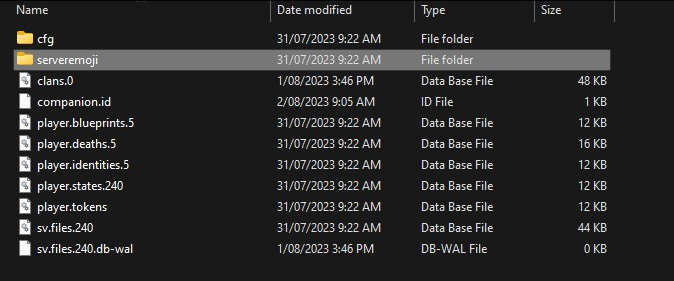
NOTE: The emoji name when used in-game will be whatever the file is called in the serveremoji folder. ie; poop.png will be :poop: in game. 💩
Offensive emojis
WARNING: Servers that use emojis containing offensive / NSFW / abusive or any other bad / illegal / immoral content will be blacklisted from the Rust Server Browser by Facepunch Staff. Please ensure only safe and fun emojis are used.
- Emoji Skin tone removal due to increased derogatory and racial content in chat
Players disabling emojis
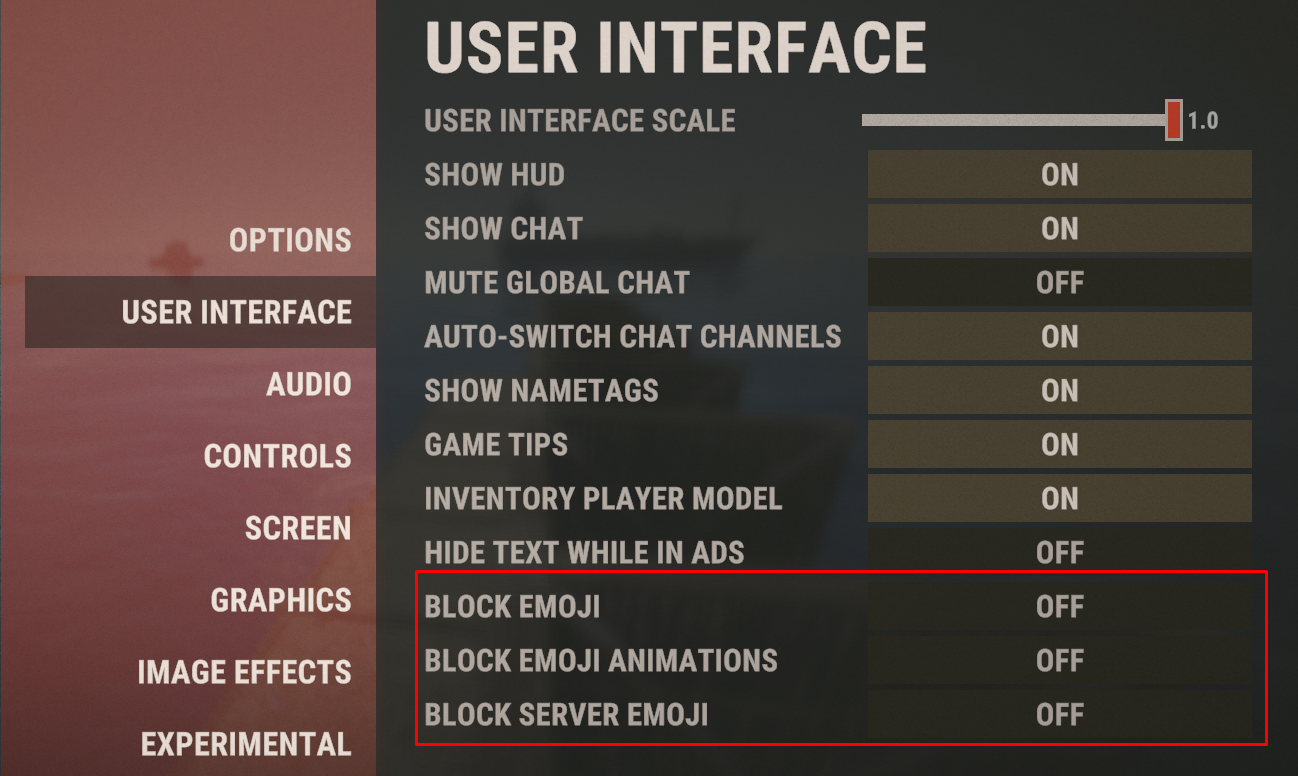
For any reason, a player may want to disable all emojis or emojis provided by the server they are playing on.
The User Interface tab of the in-game Options allows you to do this :
Comments (0)