NewRust Server List is live: live players, wipes and one-click connect. List your server for free.Rust Server List is liveSee servers
How to Wipe a Rust Server: Map, Blueprint and Full Wipes (2026)


Every Rust server reaches the day it has to start again. The map is covered in abandoned bases, the strongest group has everything, and new players see no reason to join. A wipe fixes that, but “wipe” means three different things, and deleting the wrong file either leaves the old world standing or erases progress you meant to keep.
A map wipe deletes the world save, a blueprint wipe deletes the file of learned blueprints, and a full wipe does both. Facepunch forces a map wipe on every server on the first Thursday of each month by changing the save version, and blueprints reset when the update raises the blueprint file’s number, as the November 2026 update did.
This guide is for people who run their own Rust server, on a rented host or their own machine. It goes through the real files in a current server’s identity folder, what each wipe removes, what the monthly forced wipe actually changes, how to move to a new seed, size or custom map, and how to do all of it with a backup you can roll back to.
The three kinds of wipe
Players use the words loosely, so be exact before touching any file:
- Map wipe. The world goes back to its starting state: every base, box, deployable, vehicle and sleeping player is gone, and everyone respawns naked on the beach. Learned blueprints stay, so players can craft what they already knew as soon as they have the resources.
- Blueprint wipe. Every player forgets every blueprint they learned and has to research or unlock items again. On its own it is almost never done; in practice it comes with a map wipe.
- Full wipe. Both at once. A fresh world and fresh progress for everybody.
None of the three touches your server settings, admin list, bans or plugins. A wipe that deletes them is a mistake, not a wipe.
What lives in the server identity folder
Everything a wipe deals with sits in one folder: server/<identity>/, where the identity is whatever you set with +server.identity. This is the real file list of my own test server, identity rst, on a 5000 procedural map with seed 12345, taken in late October 2026:
proceduralmap.5000.12345.289.map– the generated world: terrain and monuments. The name is level, size, seed and save version.proceduralmap.5000.12345.289.sav, plus.sav.1and.sav.2– the world save. Every entity players made or own is in here, including sleeping players and their inventories. The server writes it every 600 seconds by default (server.saveinterval) and keeps older copies;server.savebackupcountdefaults to 2.proceduralmap.5000.12345.289_occlusion_3.dat– a data file the server builds for that map.proceduralmap.5000.12345.289.navmesh– new since the October 2026 navigation rework: the walking mesh NPCs and animals use, for this map and save. On my 5000 map it is about 190 MB.player.blueprints.18.db– learned blueprints, one row per player.player.states.289.db– extra per-player data the game keeps for the current save.player.deaths.18.db,player.identities.18.db,player.tokens.db– records the game keeps about each player across saves. Leave them alone.relationship.289.db,clans.289.db,sv.files.289.db– player relationships, clans, and stored images such as those painted on signs.cfg/–server.cfg,users.cfg(owners and moderators),bans.cfgandserverauto.cfg. Never delete this folder.
Two things in that list explain almost everything below. The number in each name is a version the game sets: files with 289 belong to one save version and are ignored when the version changes, while files with 18 or no number survive it. And every .db file has a .db-wal partner next to it.
The
.dbfiles are SQLite databases, and the-walfile holds changes not yet merged into the main file. Only touch them with the server stopped, and always delete or copy the pair together. Deletingplayer.blueprints.18.dbbut leavingplayer.blueprints.18.db-walbehind is how a “blueprint wipe” goes wrong.
How to do a map wipe
With the server stopped, delete the world save and everything tied to it:
- The
.savfile and its numbered backups (.sav.1,.sav.2and so on). - The
.navmeshfile. It records changes made during the old save, and the server builds a fresh one when it is missing. On my test map that took about three minutes of startup the first time. - Optionally
sv.files.*.db,relationship.*.dbandclans.*.dbwith their-walfiles, if you want images, relationships and clans to start clean as well. A forced wipe resets them anyway.
Keep the .map file if you are staying on the same seed and size: it is the terrain, not the save, and the server would only spend time generating the same world again.
Plugins keep their own records in oxide/data. Well-written ones use Oxide’s OnNewSave hook to reset themselves when the server starts on a new save; for the rest, read each plugin’s wipe instructions before deleting anything in that folder.
Blueprint wipes and the November 2026 rework
A blueprint wipe is one deletion: player.blueprints.<number>.db and its -wal file. When the server starts and finds no file, it creates an empty one and every player begins with only the default blueprints.
The number matters. The game opens the file by a fixed name built into its code, so when Facepunch decides on a blueprint wipe for everyone, raising that number is enough: the server starts a new empty file and the old one is simply never read again. The game code also lets some game modes add the save version to the blueprint file name, so on those modes blueprints reset with every forced wipe. On a standard server, as on mine, the name carries no save version and blueprints survive the monthly wipe.
The Printed and Polished update of 5 November 2026 also wiped blueprints. The notes do not say so in words, but on a server updated to the November build the game created a new, empty player.blueprints.19.db next to the old player.blueprints.18.db, which is exactly how a forced blueprint wipe shows up. It also changed what a blueprint wipe costs players:
- Tech trees no longer use scrap. Each workbench level has its own currency instead: blueprint fragments, blueprint pages and blueprint books. The old Basic and Advanced Blueprint Fragments were removed.
- The lowest tier drops from common loot such as barrels and boxes and can be upgraded into the next tier, so nobody is locked out of the next workbench by losing one monument.
- Building a workbench no longer costs fragments, and the research table still takes scrap.
- The salvage workbench upgrade now has a 20% chance not to consume a blueprint, and the prototype upgrade is a flat 25% success rate.
Two consequences for a server owner. Fragments, pages and books are items, so they live in the world save like any other loot: a map wipe removes the ones players were hoarding, and a blueprint wipe without a map wipe would leave them in place. And because early progress is now faster, a blueprint wipe sets players back less than it did in October. If you avoided blueprint wipes because they emptied your server, this is a good month to reconsider.

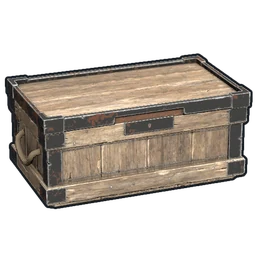
A blueprint book, one of the three new tech tree currencies of the November 2026 blueprint rework. Image: Facepunch Studios.
After each Rust update, look at the blueprint file name in your identity folder. If a new
player.blueprintsfile with a higher number has appeared next to the old one, the game itself started a blueprint wipe. If the name is unchanged, blueprints were kept.
The monthly forced wipe
Facepunch releases the main Rust update on the first Thursday of every month at 19:00 London time, and those are also the defaults of the game’s own wipe timer (wipetimer.wipeDayofWeek 4, wipetimer.wipeHourofDay 19, time zone Europe/London). The next one falls on Thursday 3 December 2026.
The forced wipe is not a command anyone runs on your server. It happens because the update changes the save version. In October 2026 the files ended in 289; the November builds that Oxide patched target Rust build 2636.290.1. Once you update, the server looks for proceduralmap.5000.12345.290.sav, does not find it, and starts a new world. Files with the old number, including player.states, relationships and clans, are ignored the same way. Blueprints, in a file without the save version, carry over.
You cannot skip it by not updating: players’ games update through Steam, and an outdated server stops accepting them.

Rust's own wipe countdown, which by default runs to the first Thursday of the month at 19:00 London time. Image: Facepunch Studios.
One piece of housekeeping the game does only partly: on startup it deletes old procedural .map and .dat files from previous save versions, but it leaves old .sav, .navmesh and old-numbered .db files where they are. After a forced wipe, once the new world is running, delete those leftovers. A few months of 190 MB navmesh files add up quickly on a rented disk.
Changing the seed, the size or the map
Because the save file is named after the map, a new world does not strictly need deleting anything:
- New procedural seed or size. Change
+server.seed(any value from 0 to 2147483647) or+server.worldsize(Facepunch’s wiki gives 1000 to 6000) in your startup line. The server generates a new map with a new name and a new, empty save next to it. The old files stay on disk until you remove them. If you are unsure which size suits your player count, Rust map size explained has the numbers. - A custom map. Remove
+server.seedand+server.worldsizeand set+server.levelurlto a direct download link. The save is then named after the map’s file name plus the save version, for examplemymap.290.sav.
That last detail catches people out. If you upload a corrected version of a custom map under the same file name, the server finds the old save and loads it onto the new terrain, with bases floating where hills used to be. Give every new version of a map a new file name, or delete the .sav when you switch.
Wiping safely, step by step
1. Warn players and save
Announce the time in advance. Just before, run server.save in the console so the newest world is on disk, then stop the server with quit.
2. Back up the whole folder
Copy the entire server/<identity>/ folder, plus oxide/data if you use plugins, to a folder named with the date. With the server stopped, the .db and -wal pairs are consistent, so the copy is a complete snapshot. This is your way back if anything goes wrong.
3. Update, if it is wipe day
On forced wipe day, update the server through SteamCMD (app 258550) and then install the matching Oxide build, because the Steam update replaces Oxide’s files. The Oxide installation guide covers that part.
4. Delete only what the wipe needs
World files for a map wipe, the blueprint pair for a blueprint wipe, both for a full wipe. Never the cfg folder.
5. Start and check
Watch the console until it reports that startup is complete, then join. Check that you spawn on a fresh beach, that a known blueprint is still there (or gone, if you wiped them), and that your plugins loaded without errors. If something is wrong, stop the server and copy the backup back.
The checklist
- You know which kind of wipe you are doing: map, blueprint or full.
- The server is stopped, after
server.save. - A dated copy of the identity folder and
oxide/dataexists. - On forced wipe day: server updated through SteamCMD, then the matching Oxide installed.
- Map wipe:
.savfiles and the.navmeshdeleted. Blueprint wipe:player.blueprintsand its-waldeleted.cfguntouched. - A new custom map version has a new file name.
- Old-version leftovers removed once the new world runs.
- Plugins that keep wipe-sensitive data checked.
Where Badgyver comes in
I make custom Rust maps, monuments and plugins, and wipe day is the natural moment to change map. Every map I sell goes in through +server.levelurl exactly as described above, and the ones that come with plugins of their own say so on their page. When your server is ready for its new wipe, you can list it for free on the Rust server list so players looking for a fresh start can find it.