NewRust Server List is live: live players, wipes and one-click connect. List your server for free.Rust Server List is liveSee servers
Rust Forced Wipe Explained: When It Happens and What Gets Wiped


Once a month every Rust server on PC goes back to an empty island at the same moment. The base you spent three weeks on is gone, the boxes are gone, and the server list fills up with names that say “JUST WIPED”. If you are new to Rust that feels like the game broke. It did not: it is the forced wipe, and once you know when it comes and what it takes, you can plan a whole month around it.
The forced wipe comes with Facepunch’s monthly update on the first Thursday of every month, at 19:00 London time. It always takes the map and everything built on it; blueprints are only wiped when Facepunch or the server owner decides so. Between forced wipes, each server follows its own weekly, two-weekly or monthly schedule.
This guide is for players who want to know when to start fresh and what they will lose, and for server owners setting up their first wipe day. It covers the exact time in the main time zones, what a map wipe and a blueprint wipe each remove, how the November 2026 blueprint rework fits in, and how to read a server’s schedule before you commit to it.
When the forced wipe happens
Facepunch releases one big update a month, and its own plan for 2026 promises it on the first Thursday of every month. That update changes the server and its save format, so every server that installs it has to start a new world. That is why it is called forced: an owner can choose to wipe more often, but cannot skip this one and stay on the current version.
The time is fixed to the UK clock. Facepunch calls 19:00 GMT “the regular time” in its December 2025 notes, and the official server wipe timer documentation uses 19:00 London time as the default for every schedule. The upcoming dates follow directly from the rule:
- Thursday 3 December 2026
- Thursday 7 January 2027
- Thursday 4 February 2027
- Thursday 4 March 2027
Facepunch announces each update in its news posts a few days before. If a date ever moves, for a holiday or a delayed feature, that is where it will say so.
The time in your time zone
Because the anchor is London local time, it is 19:00 GMT in winter and 19:00 BST in summer. On a first Thursday that means November to March are on GMT and April to October on BST. Converted:
November to March
- London: 19:00 GMT (19:00 UTC)
- Madrid, Paris, Berlin: 20:00
- Moscow: 22:00
- New York: 14:00 · Los Angeles: 11:00
- São Paulo: 16:00
- Sydney: 06:00 on Friday
April to October
- London: 19:00 BST (18:00 UTC)
- Madrid, Paris, Berlin: 20:00
- Moscow: 21:00
- New York: 14:00 · Los Angeles: 11:00
- São Paulo: 15:00
- Sydney: 04:00 or 05:00 on Friday, depending on whether Australian summer time has started
One rare exception: in a year where the first Thursday of November falls before the United States puts its clocks back, the wipe lands at 15:00 in New York and 12:00 in Los Angeles. In 2026 that did not happen.
19:00 is when Facepunch starts the release, not when your server reopens. The server files and the game update have to download, and modded servers also wait for a new build of Oxide or Carbon. Expect community servers to come back anywhere from minutes to a couple of hours later, and do not log off in the middle of a fight at 18:55 expecting a clean finish.
What a forced wipe actually resets
There are two separate things on a Rust server, and people mix them up constantly.
- The world. The map itself, every building, deployable, box, vehicle and item lying around, every player’s inventory and position. It lives in the server’s save file, and the file name carries a version number. When the monthly update raises that number, the old save simply no longer loads. This is the map wipe, and the forced wipe always includes it.
- What each player has learned. The blueprints you unlocked, so you can craft an item without finding it again. These live in a separate blueprint database, and a map wipe does not touch it.
So after an ordinary forced wipe you spawn on a beach with nothing, but your crafting menu can still be full. Whether it is depends on the second kind of wipe.

A real server folder after the November 2026 update: the world files moved from version 289 to 290, and each kind of file has its own version number.
Blueprint wipes, and what changed in November 2026
A blueprint wipe empties the list of things every player knows how to craft. It happens in two ways: Facepunch forces it on every server, as it did in November 2025 alongside a progression overhaul, or the owner of a server deletes the blueprint file at a wipe of their own choosing.
For years most servers, Facepunch’s own included, kept blueprints from month to month. In November 2025 Facepunch forced a blueprint wipe on everyone, saying it wanted to bring back early-game discovery, and when asked whether that would happen every month, its answer was that it was not committing to anything yet. Since then, plenty of community servers advertise a “BP wipe” on the first Thursday and keep blueprints on their weekly wipes.
The November 2026 update, Printed and Polished, did both: it wiped blueprints and changed how they are earned. The notes do not spell out the wipe, but servers updated to the November build start a new, empty blueprint file (player.blueprints.19.db in place of .18), so every player began the month without their old blueprints. Workbenches no longer need fragments to build, and the tech trees no longer cost scrap. Instead, each tech tree tier is unlocked with its own currency: blueprint fragments, pages and books, one per workbench level. The lowest tier turns up in common loot such as barrels, and can be upgraded into the next. Researching an item with scrap at the research table still works.

Facepunch's picture for the November 2026 blueprint rework, which moved tech trees to fragments, pages and books. Image: Facepunch Studios.
What this means at later wipes: if your server wipes blueprints, you climb the trees again with fragments, pages and books; if it does not, you keep what you knew and use the new currencies for what is left. Check your server’s announcement to know which case you are in.
Why many servers wipe weekly or every two weeks
The forced wipe is the minimum. Many community servers reset far more often, and there are good reasons for it:
- Fresh starts bring players. A server is busiest in the first day or two after a wipe. Wiping weekly gives it that rush four times a month.
- Big groups snowball. On a month-long wipe, a large clan can own the map by week two. A short cycle gives small groups and solos a fair restart.
- Faster servers burn through content. Servers with boosted gather rates reach end-game gear in a few days, so a month would be mostly empty.
- Some players only have weekends. A weekly wipe means every wipe gets played from start to finish.
Facepunch’s own wipe timer knows three schedules: monthly (the first Thursday), weekly (every Thursday) and biweekly (the first and third Thursday, with the leftover week in five-week months split two plus one), all at 19:00 London time by default. A weekly or biweekly server still wipes at the forced wipe, so the cycle that ends on the first Thursday may be shorter than usual.
How to read a server’s wipe schedule
Before you spend a week on a base, find out when it disappears. In order of how much to trust each source:
- The server’s own announcement channel or website. Owners post exact dates there, including whether blueprints wipe.
- The server description. Most list something like “Wipes: Thursday 19:00 UTC, BP wipe monthly”. Look for the time zone; “7pm” alone means nothing.
- The browser tags. Rust’s server browser has one wipe tag per server: monthly, biweekly or weekly. It tells you the rhythm, not the hour.
- The name. Tags like “WEEKLY” or “2X | Monday” in the name are usually right, but names are the easiest thing to forget to update.
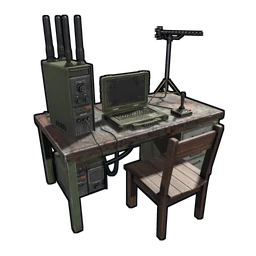
The game shows you the server’s own countdown. The laptop on the lowest level of the Nuclear Missile Silo counts down to the next wipe, using the schedule the owner set. About 24 hours before it reaches zero, the server starts its end-of-wipe events: F-15 jets fly over the island and Bradley APCs roam the roads, which is your sign the wipe is close, unless the owner has switched those events off.
For server owners: getting ready for wipe day
If you run a server, the first Thursday is not optional, so make it routine:
- Set the wipe tag and the timer. Put one of
monthly,biweeklyorweeklyinserver.tags; never two, because the browser treats them as one group. If you wipe on another day or hour, setwipetimer.wipeDayofWeek,wipetimer.wipeHourofDayandwipetimer.wipeTimezone, orwipetimer.wipecronoverridefor anything unusual. ThePrintWipeconsole command shows the next dates it has worked out. - Update after 19:00 London time. Update the server files, then your mod framework once its new build is out, then your plugins.
- Decide on blueprints. A map wipe happens by itself when the save version changes, or when you change
server.seedor the custom map. For a blueprint wipe, stop the server and remove theplayer.blueprintsdatabase from your server identity folder before starting again. - Tell players before, not after. Post the date, the time with its time zone and whether blueprints go.
server.tags "weekly,vanilla"
wipetimer.wipeDayofWeek 4
wipetimer.wipeHourofDay 19
wipetimer.wipeTimezone "Europe/London"
Wipe day is also the only clean moment to change your map. Players expect a new island then, and nobody loses a base they built on the old one.
Everything here is about Rust on PC. The console edition is a separate game build with its own update and wipe calendar.
The checklist
- The next forced wipe is on the first Thursday of the month, at 19:00 London time, and you know what that is where you live.
- A map wipe always comes with it; a blueprint wipe when the update forces one, as November 2026 did, or when your server chooses to.
- Since November 2026, tech trees are climbed with blueprint fragments, pages and books, and research still costs scrap.
- You know your server’s own cycle: weekly, biweekly or monthly, with the day, hour and time zone.
- You have looked at the Silo laptop or the server’s announcements before starting a big build.
- If you run a server: one wipe tag, a timer that matches it, and the blueprint decision made before the day.
Where Badgyver comes in
I make custom Rust maps, and wipe day is when they matter: it is the moment an owner can give players a new island. Maps like CHRONUS and the rest of my custom maps are built to be the place a server’s next wipe happens. If you are a player looking for a server with a schedule that fits your week, or an owner who wants to be found on wipe day, the free Rust server list on this site is open to both.